


Using Apple Foundation Models to Summarize Text
Build an on-device text summarizer using Apple Foundation Models and SwiftUI, with step-by-step guidance on availability checks and summarization. By Bill Morefield.
Summarizing Text
Open SummaryView.swift under SummarizeExtension. You’ll see the core functionality lies in the runSummarization() method. Right now, this method sets the summary text to the value that the parent view passed in to the sharedText property. It then indicates it’s done by setting isLoading to false. Changing this boolean sets the view to show the summarized text instead of the initial progress indicator. To change this, you’ll first create a LanguageModelSession. This object contains the local LLM. You can also pass it instructions. Instructions allow you to define the model’s role and behavior. It takes precedence over later prompts. Delete the current code in the runSummarization() and replace it with:
let instructions = """
  Please provide a concise and comprehensive summary of the given text. Your
  summary should capture the main points and convey the author's intended
  meaning. Ensure you do not add any information not contained in the
  original text to your summary. The length should be only what's
  necessary to capture the main points without being overly long.
"""

// 2
let session = LanguageModelSession(instructions: instructions)
Here’s what this code sets up.
1. The instructions variable provide the model a purpose for this session using the multi-line string syntax. Creating instructions is more art than science, but it’s an important part of improving the safety of generative model output. This one focuses the system on producing a summary and guides balancing brevity and length. Changing the instructions will modify how Foundation Models approaches the task.
2. You create an instance of LanguageModelSession passing in the instructions from step 1 to the instructions parameter.
This gives you a session you can now use to do the summarization. Add the following code to the end of the method:
// 1
do {
  // 2
  let response = try await session.respond(to: sharedText)
  // 3
  summary = response.content
  isLoading = false
} catch {
  // 4
  summary = "An error occurred summarizing the text: " +
    "\(error.localizedDescription)"
  isLoading = false
}
This is the heart of using Foundation Models, so here’s how it works a step at a time.
1. You use the do-catch pattern since the LanguageModelSession object will throw if an error occurs.
2. This one line is all that’s needs to send a prompt to Foundation Models. You prefix the call as try await because it can throw exceptions and it will run asynchronously. This means the method will not return immediately. Depending on the speed of your device, amount of memory, and length of text it can take several seconds for the summarization to run. You assign the result to the response variable.
3. If the call completes successfully, you get the content property which contains the response from the model and set the summary property of the view to match. You then set isLoading to false to let the view now to hide the ProgressView shown during the summarization and display the final result.
4. Should an error occur in step 2, the catch block handles it. You set the summary to a message which includes the description of the error. You also then set set isLoading to false to show the message to the user.
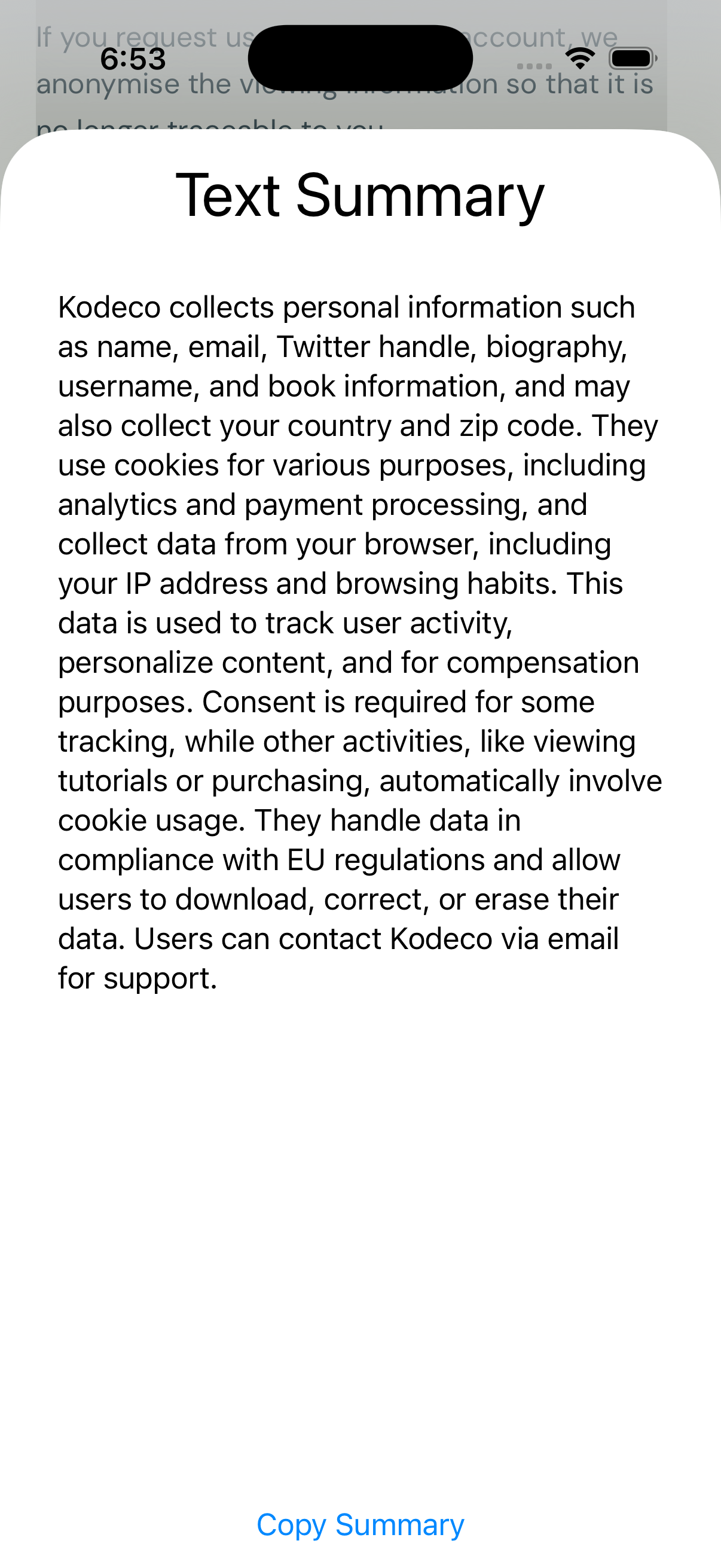
Run the app. Select some text in Safari or another app and send it to the extensions. You’ll first see the progress view as the text summarization in runSummarization() processes.

Then you’ll see the text summarized.
Where to Go From Here?
You can download the completed project files by clicking on the Download Materials button at the top or bottom of the tutorial.
In this tutorial, you’ve learned the basics of Apple Foundation Models. You’ve also used that to set up a SwiftUI view that can use the model to summarize text sent by the user. This only scratches the surface with the most basic functionality. There are many more facets such as providing asynchronous responses, understanding limitations and best practices, better error handling, using Foundation Models to generate data, and providing tools that expand the information available to Foundation Models.
To learn more on this topic, look at our Apple Foundation Models module.
If you curious about other tools that make up Apple Intelligence, check out our Apple Intelligence program.